Skin progress tracker
See what changed instead of trusting memory.
Track skincare progress weekly with Kelp for iPhone. Compare six visible skin signals, keep your photos and history on device, and see what changed.

- Weekly comparisons
- Signal-by-signal change
- History saved on your iPhone
How does a skin progress tracker work?
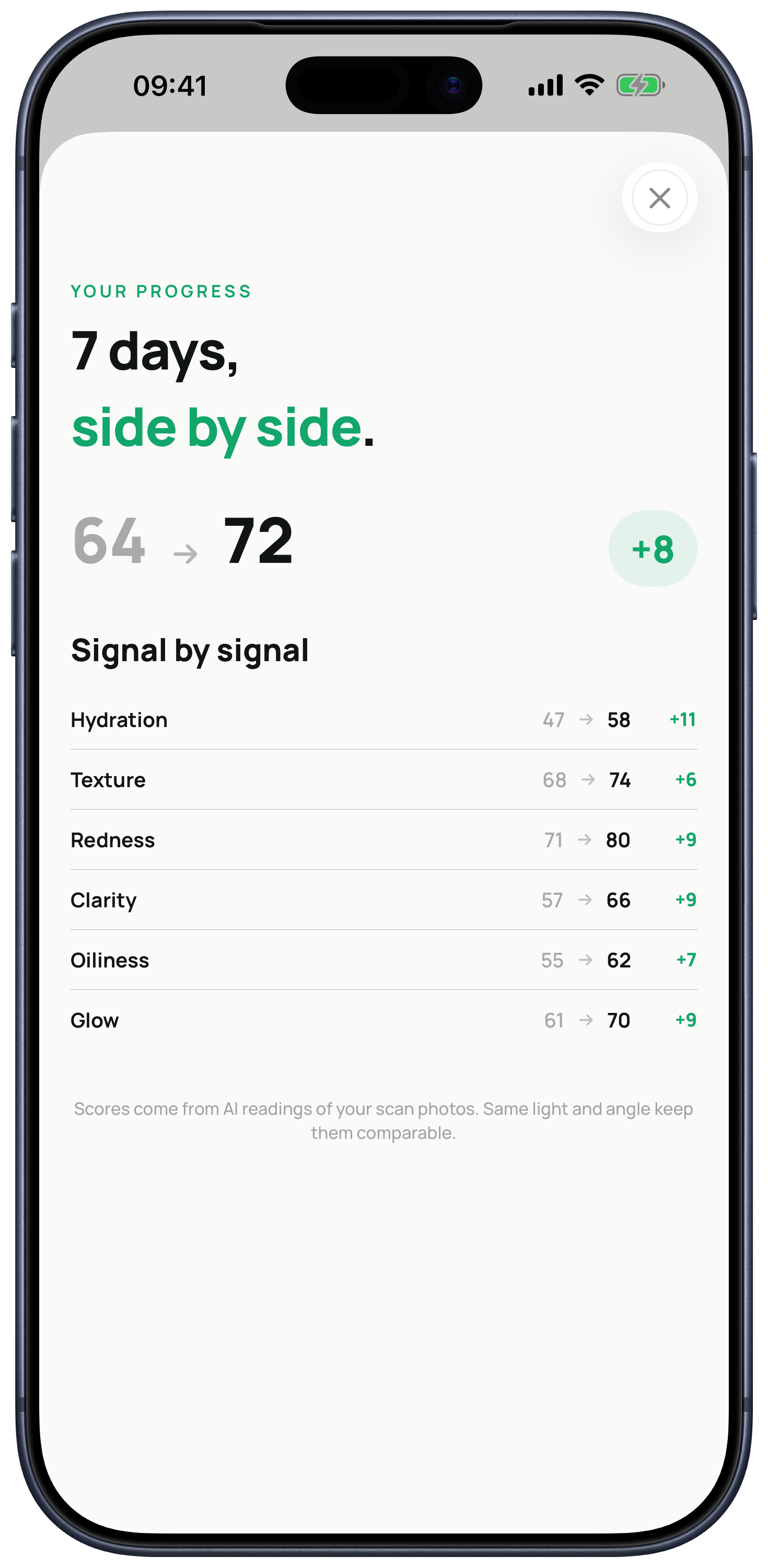
A skin progress tracker records comparable check-ins over time. Kelp saves each reading on your iPhone and compares the next weekly scan across hydration, texture, redness, clarity, oiliness, glow, and the overall score.
A steadier cadence
Why track weekly instead of every day?
Daily selfies can reflect short-term changes in lighting, sleep, hydration, and camera position. Kelp uses a seven-day rhythm so you can keep one plan steady before checking again.
Weekly tracking does not remove every source of variation. It gives you a more repeatable routine for observing patterns without turning every mirror check into a new decision.
Comparable captures
How can I make before-and-after scans more useful?
Use similar lighting, framing, distance, and facial position each time. Kelp's guided front, left, and right capture gives every weekly reading the same basic structure.
- Use even lightAvoid a bright window or hard shadow on only one side.
- Keep the framing similarFollow the on-screen face and angle guidance.
- Compare like with likeTreat a large change under very different conditions with caution.
More than one score
What can I compare between scans?
Kelp shows the overall score and the change in each of six visible cosmetic signals. That makes it possible to see mixed movement, such as hydration improving while redness remains steady.
A single number is quick to read, but the individual signals carry the context. The comparison screen keeps both levels visible.
Private history
Where is my scan history stored?
Saved readings and comparison photos live on your device with iOS file protection until you delete the scan history.
For each new analysis, Kelp sends a reduced encrypted copy through its Azure backend to its AI provider. The Kelp backend does not persist the submitted scan photos.
Important boundary
Cosmetic wellness guidance, not medical care.
Kelp describes visible cosmetic signals and helps you track a skincare routine. It does not diagnose, treat, or prevent a medical condition.
Seek a qualified clinician for painful, persistent, spreading, bleeding, infected-looking, scarring, or otherwise concerning symptoms.
Straight answers
Questions people ask before trying Kelp
How often should I compare my skin in Kelp?
Kelp is built around one guided reading every seven days, followed by a signal-by-signal comparison with the previous scan.
Can I see before-and-after photos?
Yes. Kelp saves comparison photos locally on your iPhone and includes before-and-after comparison tools and shareable progress cards.
Which changes does Kelp show?
Kelp compares hydration, texture, redness, clarity, oiliness, glow, and the overall skin score.
Are the photos stored in a Kelp cloud photo database?
No. Kelp's backend does not persist submitted scan photos. Saved history and comparison photos live on your device until you delete them.
Does an improved score prove a product caused the change?
No. A comparison shows an observed difference in the app's visual reading. It does not establish that one product or habit caused that change.
Kelp is live on iPhone
Stop guessing what changed.
Start with a guided scan, keep one plan steady, and compare again next week.