
01
Start with a real baseline.
Kelp reads hydration, texture, redness, clarity, oiliness, and glow from the photos you choose to scan. It is wellness guidance, not a diagnosis.
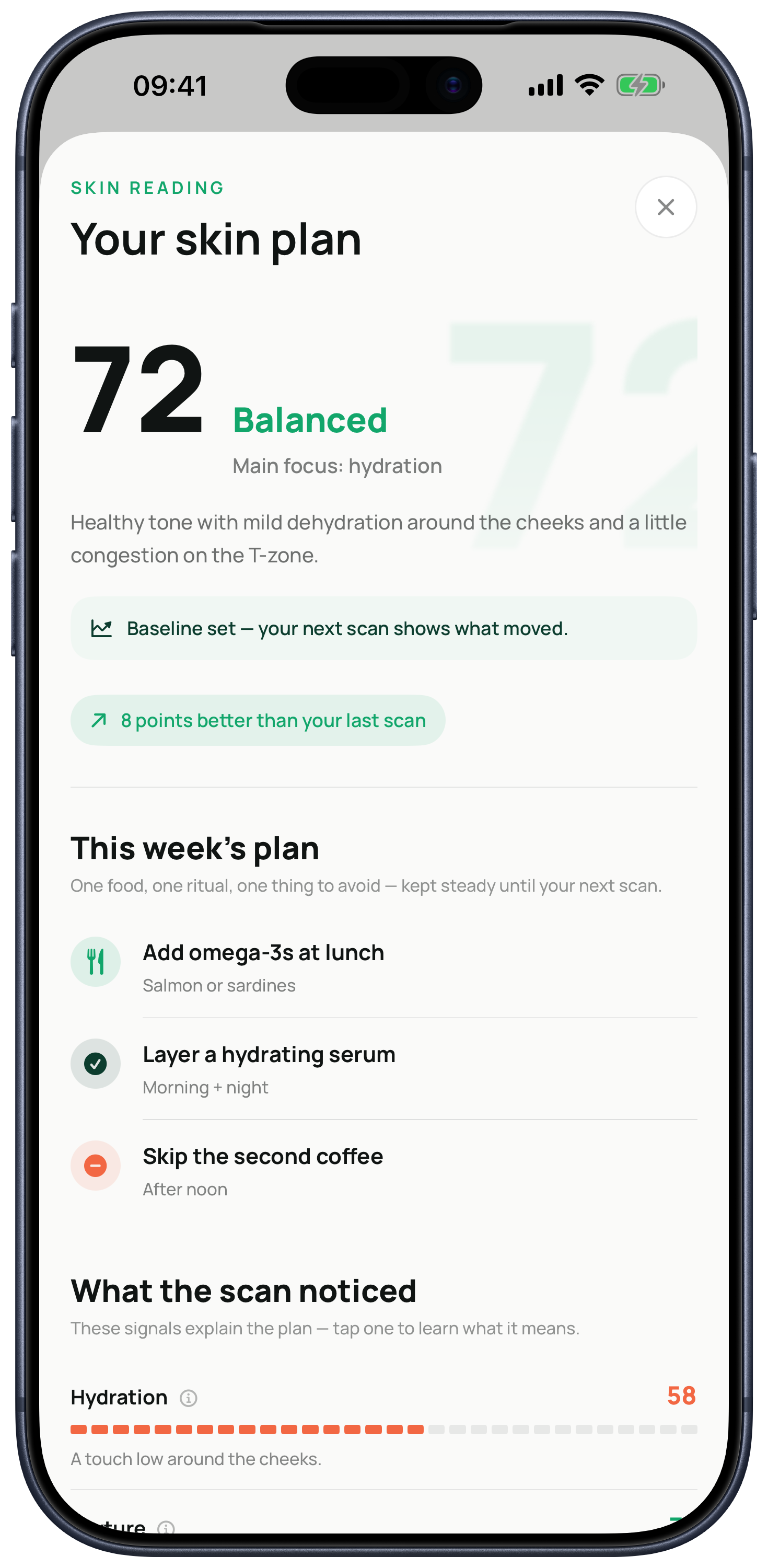
6472Balanced
Now on the App Store
Kelp is an AI skin analysis app for iPhone. Three guided selfies become a clear skin score, a focused weekly plan, and proof of what changed at your next scan.
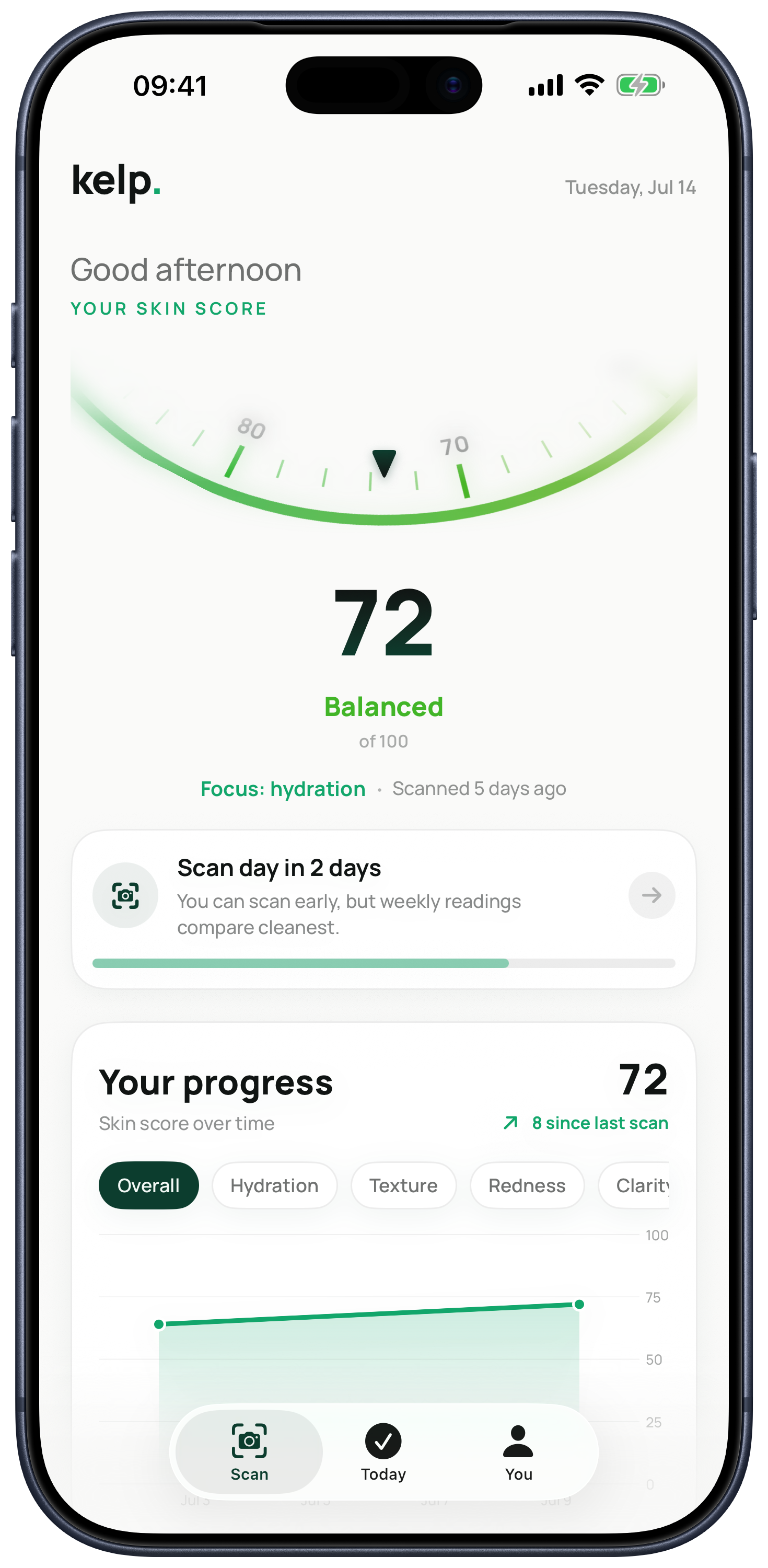
One score, built from six visible signals
Built for the questions you already have
Kelp is for people who already care about skincare but feel stuck between generic routines, product claims, and photos that are hard to compare.
See how Kelp reads six visible skin signals from three guided selfies.
→02Personalized routineTurn your latest reading into one focused plan for the week.
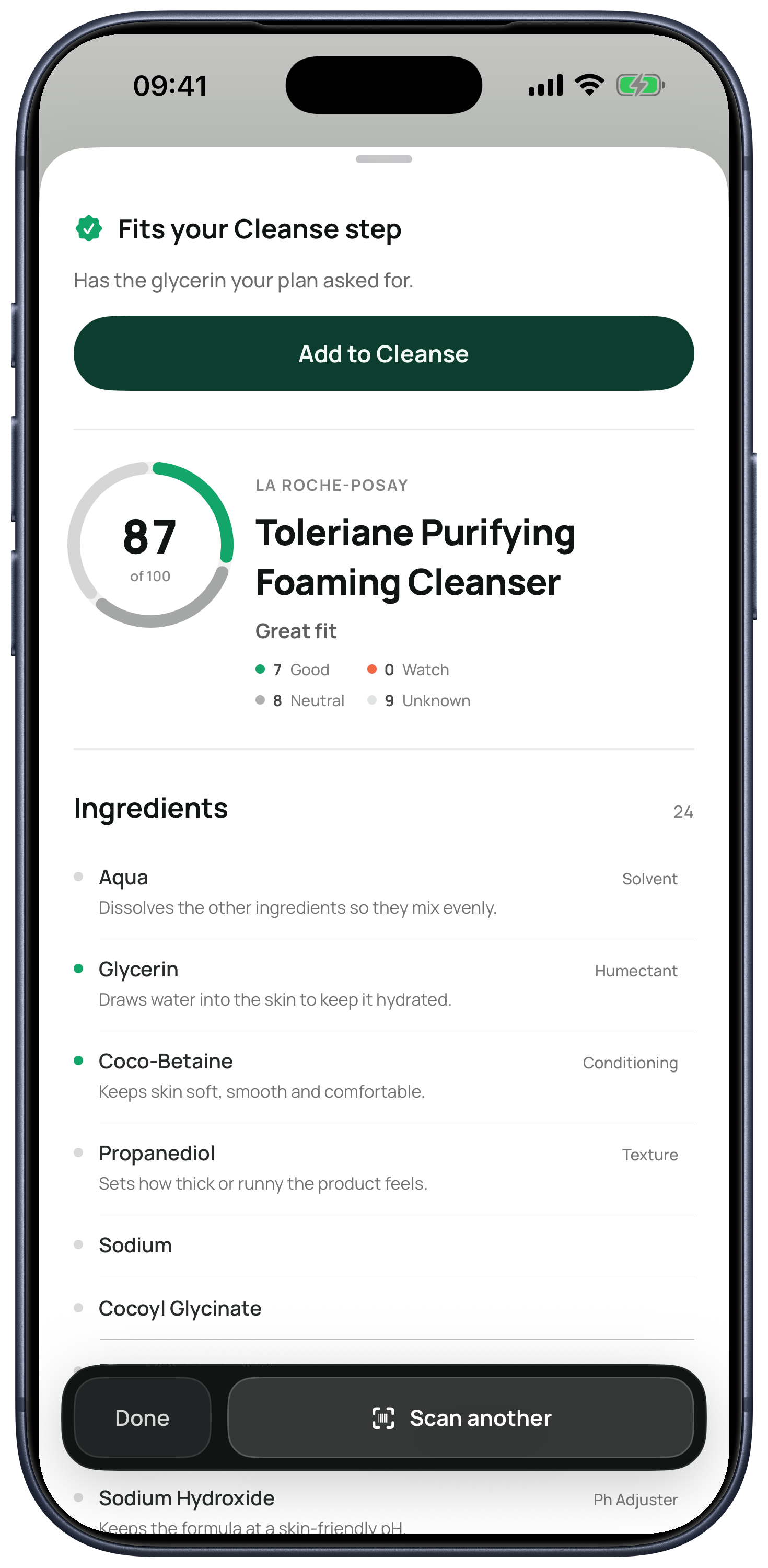
→03Ingredient checkerScan a barcode or ingredient label and check how the formula fits your plan.
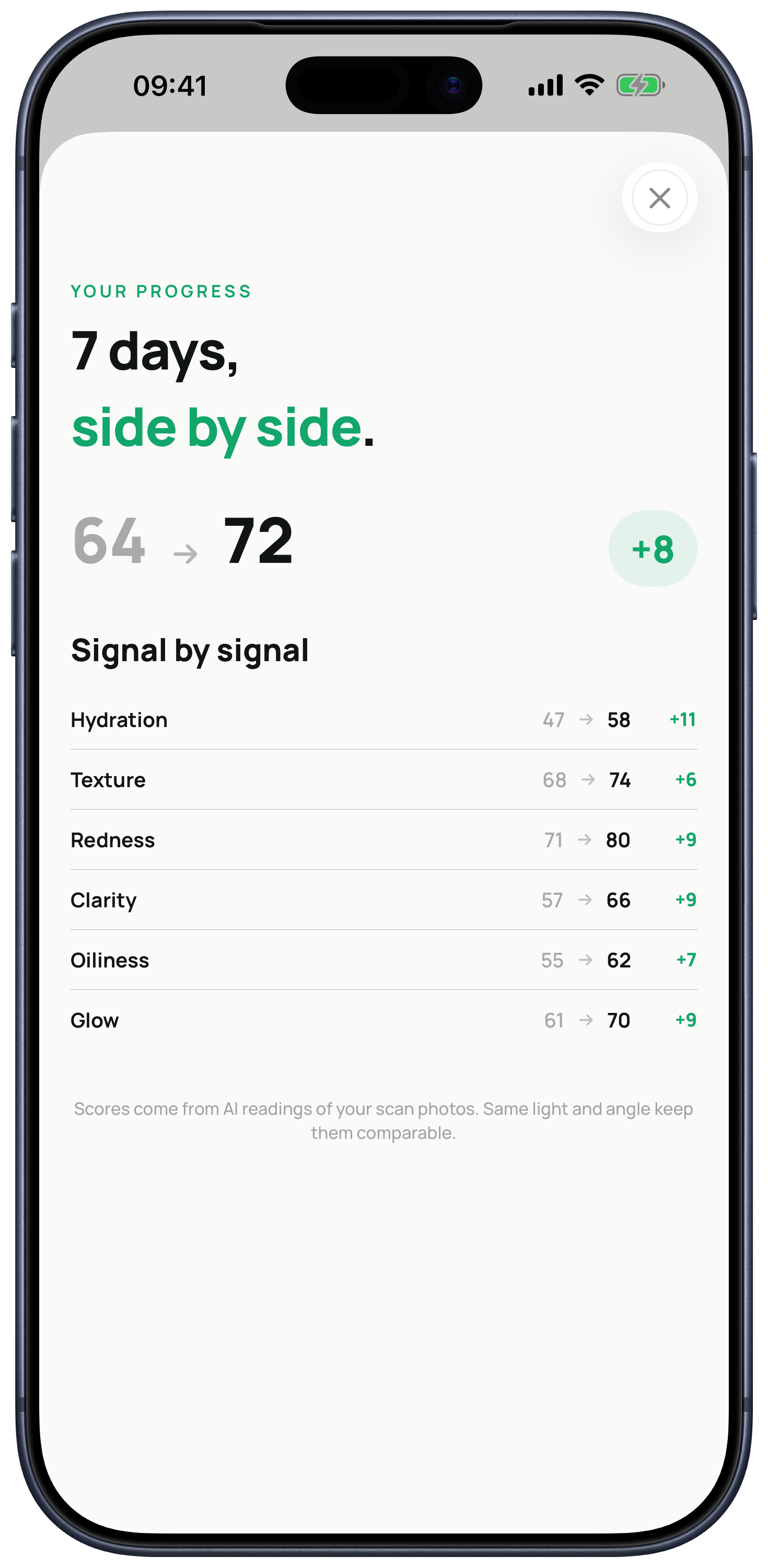
→04Progress trackerCompare weekly readings signal by signal instead of relying on memory.
→A simpler feedback loop
Kelp turns a quick check-in into something you can actually use, then keeps the plan steady long enough to measure change.
Kelp reads hydration, texture, redness, clarity, oiliness, and glow from the photos you choose to scan. It is wellness guidance, not a diagnosis.
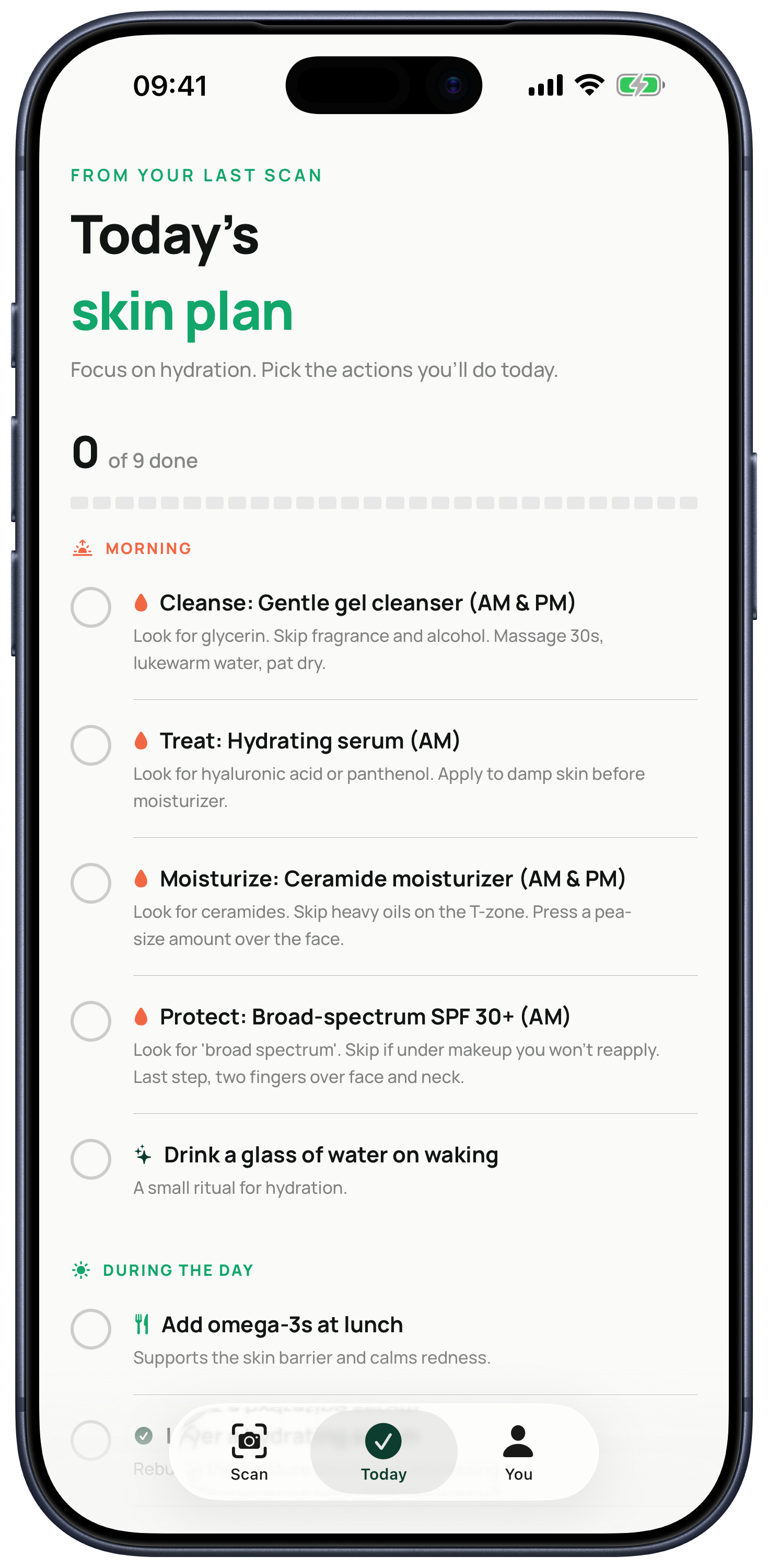
One food action, one daily ritual, and one thing to avoid—plus a practical routine built around your latest reading.
Repeat the scan in similar light and Kelp shows the change in every score, so progress is visible instead of assumed.
Ingredient check
Scan the barcode, or point the camera at the ingredient list. Kelp explains the formula in plain language, scores it out of 100, and tells you which step of your routine it belongs to.
Cosmetic guidance—not a safety or allergy verdict.
Clear about your data
When you choose to scan, Kelp strips image metadata, reduces the image size, and sends an encrypted copy through our Azure backend to our AI provider. Our backend does not persist the scan photos.
Your saved readings and comparison photos live on your device with iOS file protection until you delete the scan history.
Read the full privacy policyBefore you scan
Kelp describes six visible cosmetic signals: hydration, texture, redness, clarity, oiliness, and glow. It also summarizes them in an overall skin score for weekly tracking.
No. Kelp provides cosmetic wellness guidance and tracking. It does not diagnose, treat, or prevent a medical condition.
Kelp is designed around one guided reading every seven days. Keeping a plan steady for the week makes the next comparison easier to interpret.
Yes. Scan a product barcode or its ingredient label to see the known formula, where it belongs in a routine, and how it fits your current plan.
Kelp's backend does not persist submitted scan photos. Saved readings and comparison photos live on your iPhone with iOS file protection until you delete the scan history.
Kelp is free to download. Guided readings and coaching require an auto-renewable Kelp Pro subscription. The App Store shows current pricing and any trial eligibility before purchase.
Kelp is live on iPhone
Download Kelp and get a plan built around your skin, not someone else's routine.